Files & Projects
Saving
- Ctrl+S saves; Ctrl+Shift+S is Save As. Projects are single
.ccalcfiles. - First saves suggest a name from the cover sheet's Project Name (falling back to the project number); Save As over an existing file keeps its name. Saving also keeps an auto-derived cover-sheet project name in step with the file — a hand-typed one is never touched.
- File → Open File Location reveals the saved file in Explorer.
The three save states
| State | Behavior |
|---|---|
| New | A brand-new project you haven't really touched — nothing ever prompts; closing just closes. |
| Unsaved | Real changes exist. Leaving the project or closing the window asks first. |
| Saved | On disk; no prompts. |
Closing the window with unsaved changes asks: Save & Close / Close without saving — or dismiss the prompt to stay. File → Close Window goes through the same guard.
Opening
- File → Open Project (Ctrl+O), the Recent list (menu: last 6; Home: last 10), double-clicking a
.ccalcin Explorer, or dragging one onto the window — all equivalent. - Opening while a project with unsaved changes is loaded asks whether to save first:
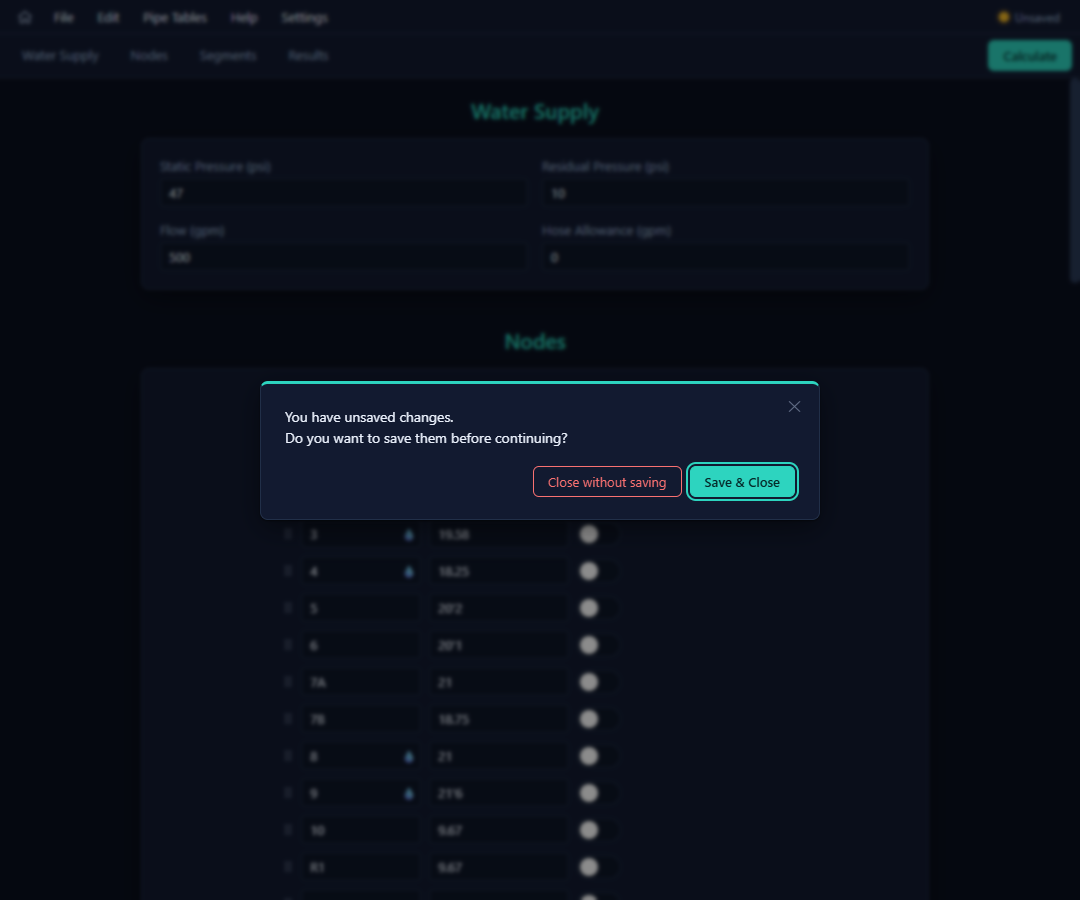
- With nothing unsaved, you get a simple "Do you want to open <file>?" confirmation. Opening from Home is immediate.
- Old projects always load —
.ccalcfiles from earlier versions remain compatible.
File types on this machine
| Extension | What | Opens |
|---|---|---|
.ccalc | A CaidentCalc project | The project, in the calc editor |
.cpipe | A pipe table | The Pipe Tables page (also accepted by File → Open Project) |
What's stored where: the project file carries the system, calc areas, results context, cover sheet, and its pipe-table choice; machine preferences (theme, defaults, profiles) live outside the project; the recent list is per machine.