The Home Screen
After signing in you land on Home — the project launchpad.
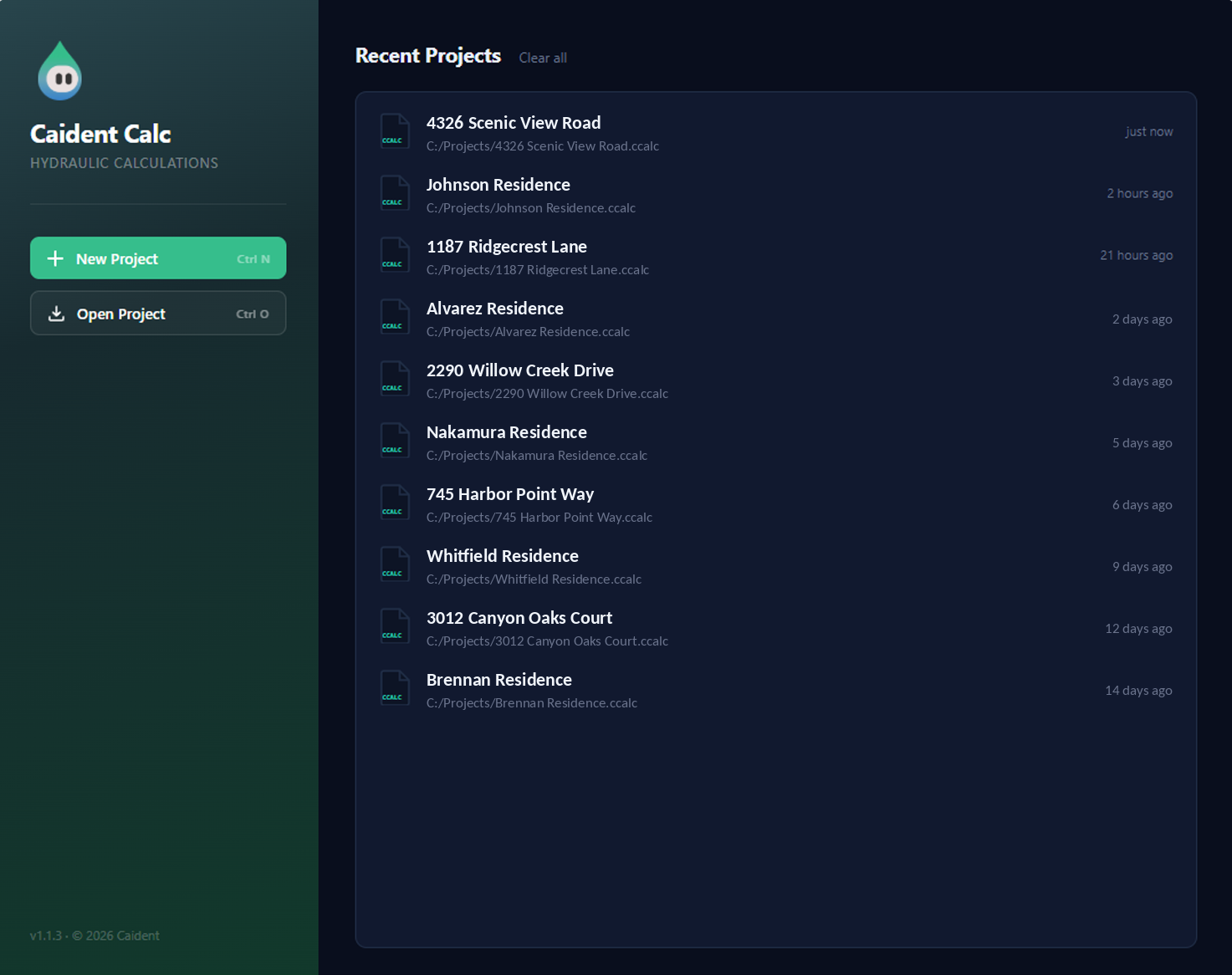
Starting and opening
| Action | Shortcut | What it does |
|---|---|---|
| New Project | Ctrl+N | Opens the calc editor with a fresh, empty project (just the supply source node). |
| Open Project | Ctrl+O | Native file dialog for .ccalc projects. (Picking a .cpipe here routes to the Pipe Tables page instead.) |
The footer shows the app version; a failed open reports its error right in the panel.
Recent projects
The right panel lists up to 10 recent projects — name, folder, and when you last touched them ("just now", "3 hours ago"). Click a row to open it. Clear all empties the list (files are untouched). The File → Recent menu inside the editor shows the top six of the same list.
The advisory strip
Pinned to the bottom of Home, worth reading once verbatim:
CaidentCalc is intended to support professional fire protection design. Calculation inputs and results should be reviewed by a qualified fire protection professional before use in permit, construction, or other formal documents. Caident assumes no liability for calculations relied upon without appropriate professional review.
Home is also where the occasional license-to-email migration prompt appears for license-key users (chapter 2), and the app quietly refreshes its built-in pipe table each time you arrive here.