Importing Third-Party Calculations (Beta)
File → Import Calc reads an existing hydraulic calculation out of another program's report and turns it into an editable CaidentCalc project.
Supported inputs: HASS .sdf data files, HASS report PDFs, AutoSPRINK report PDFs, and Hydratec (HydraCAD) report PDFs. Only Hazen-Williams calculations are supported at this time.
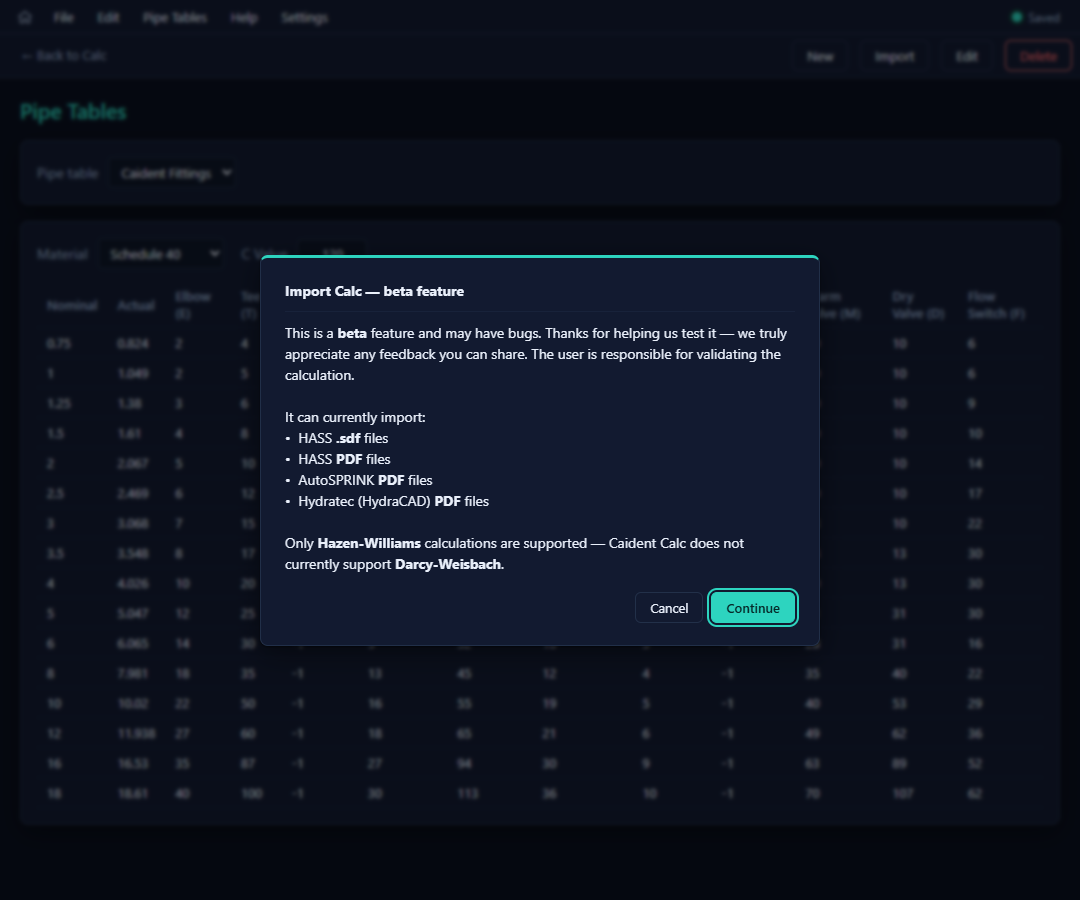
The flow: the beta notice → the usual unsaved-changes guard (importing replaces the open project) → a file dialog (*.pdf, *.sdf) → a short "Importing calculation PDF…" pass while the report is read.
The mapping wizard
Every pipe type found in the report gets a card: the imported spec on the left, and what it will become in CaidentCalc on the right.
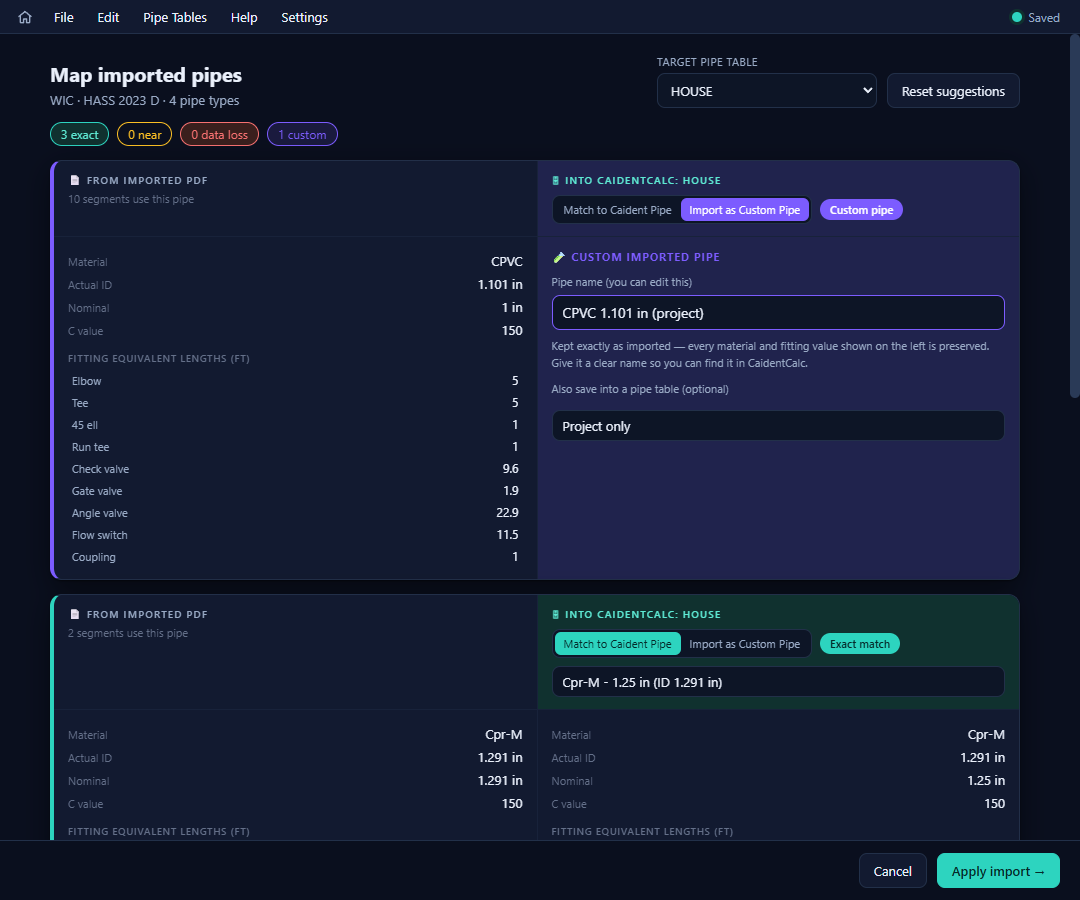
- The header shows the project, source program, and pipe-type count; a Target pipe table selector picks where matches are looked up; multi-system reports add an Imported area selector — map each area separately.
- The tally chips summarize the state at a glance: exact · near · data loss · custom.
- Per card, two choices:
- Match to Caident Pipe — bind the imported pipe to an entry in your table. The wizard pre-suggests the closest match and highlights every difference (ID, C value, fitting lengths); statuses grade the match (Exact / Near / Data loss). Binding to a pipe that lacks some imported fittings warns you exactly what would be dropped — with a one-click escape to custom.
- Import as Custom Pipe — keep the imported spec exactly as-is, project-local (optionally also saved into one of your pipe tables). This is the no-data-loss default whenever a clean match doesn't exist.
- ⚠ Import notes above the cards list everything the importer wants you to verify — including a prominent caveat when the source used Darcy-Weisbach friction (CaidentCalc solves Hazen-Williams, so losses won't reproduce exactly; assign appropriate C values and re-solve).
- Reset suggestions returns every card to the wizard's original proposal.
Apply import → loads the project into the calc editor, unsaved, with the window titled "Imported 3rd Party Calculation: <name>" until you save it as a .ccalc.
Import is a beta feature, and the user is responsible for validating the imported calculation. Run the calc, compare against the source report's results, and review every import note before relying on the numbers.