Settings
Settings → Settings… in the menu bar. ← Back to Calc returns.
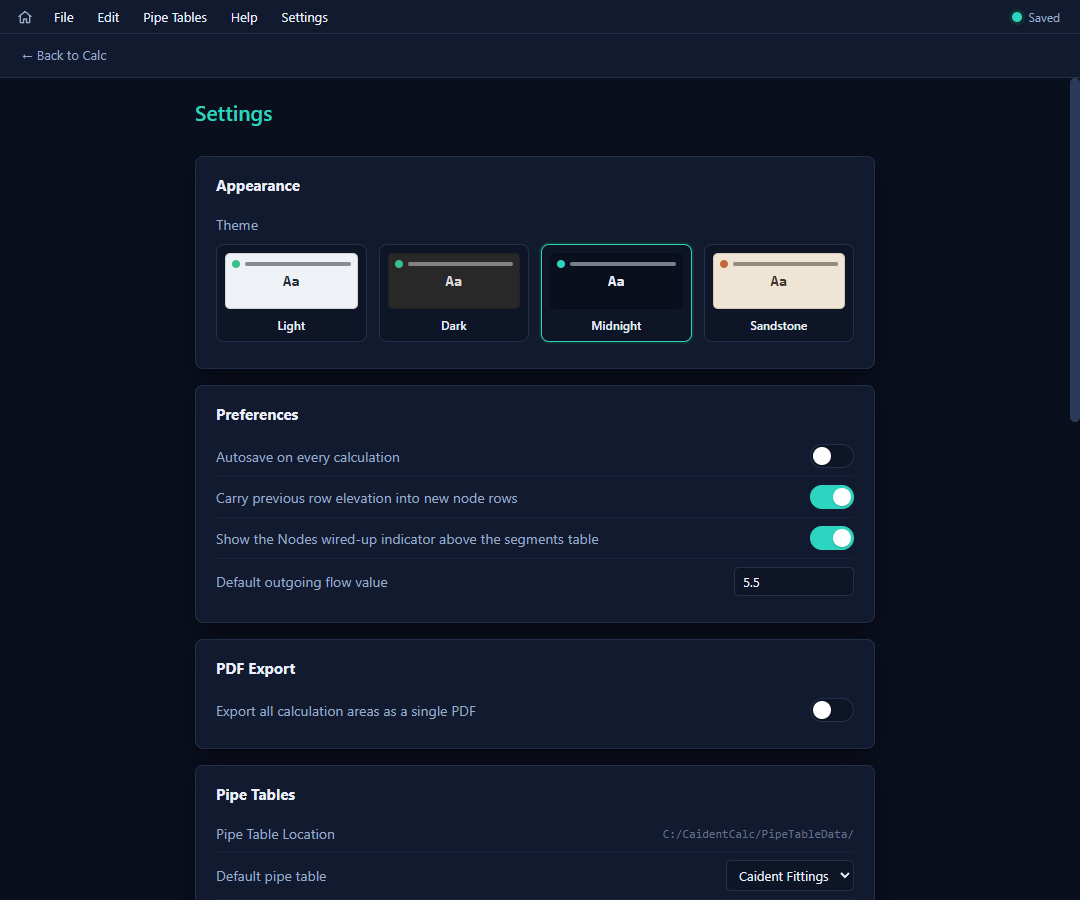
Appearance
Four themes — Light, Dark, Midnight (the default), Sandstone — persisted per machine.
Preferences
| Setting | Effect |
|---|---|
| Autosave on every calculation | Saves the project before each solve (a never-saved project asks for a destination once). |
| Carry previous row elevation into new node rows | New node rows start at the elevation above them — most rows on a floor share it. On by default. |
| Show the Nodes wired-up indicator | The chip strip above the segments table (chapter 5). |
| Default outgoing flow value | Pre-fills the gpm field when a node's outgoing-flow toggle is switched on. |
PDF export
Export all calculation areas as a single PDF — off by default (one PDF per area; chapter 9).
Pipe tables
The read-only storage location (C:\CaidentCalc\PipeTableData\) plus the default pipe table, material, and diameter — what new projects and new pipe rows start with.
PDF cover-sheet profiles
Company identities for report covers. Each profile: a nickname, company name, address, logo (PNG/JPG), and optional typical sprinkler make and temp rating — the typicals pre-fill each calculation area's cover-sheet fields whenever they're blank. Add as many profiles as you have branches or brands; pick one per export in the cover-sheet editor.
Account
Email installs: "Signed in as …" with Sign Out. License-key installs: Unregister (frees the license for another device). Both confirm first.