Reading Results
The Results page opens with the verdict and drills down as far as you need. Expanded sections and your scroll position are remembered while you hop between pages.
The summary
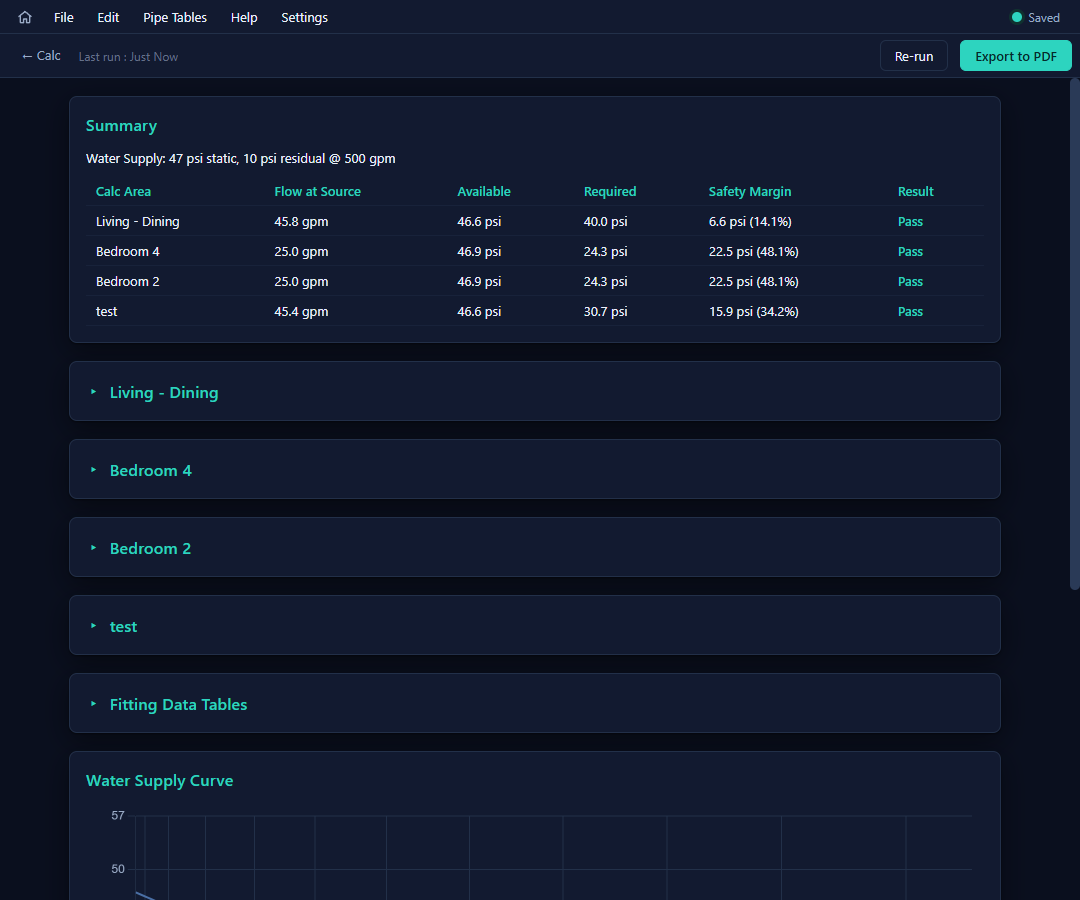
The top card restates the water supply, then one row per calculation area: Flow at Source · Available · Required · Safety Margin (psi and %) · Result — green Pass or red Fail. Click a row to jump to that area's details.
Per-area details
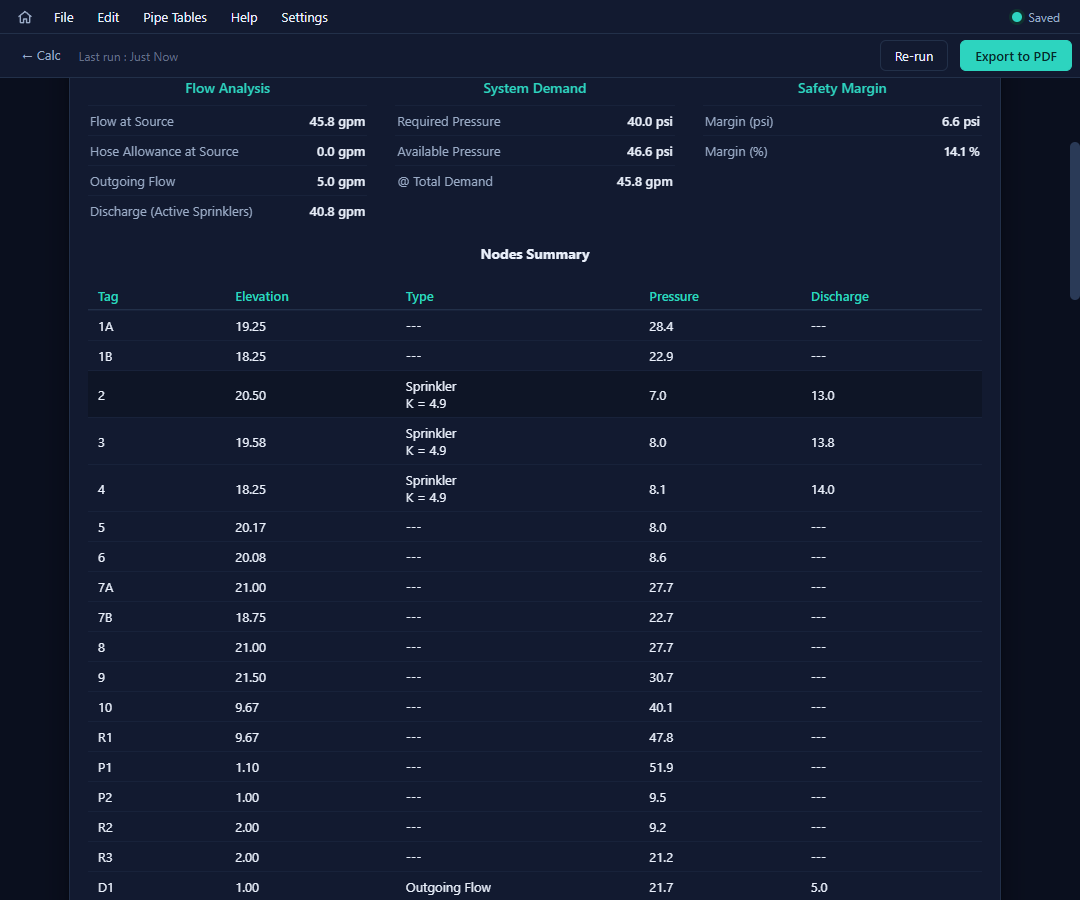
Each area is a collapsible card (click the header caret):
- Three summary columns — Flow Analysis (flow at source, hose allowance, outgoing flow, sprinkler discharge), System Demand (required vs available pressure at total demand), and the Safety Margin.
- Nodes Summary — every node's elevation, type, pressure, and discharge; the source sorts to the bottom.
- Segments Summary — the full friction analysis, three rows per segment: end nodes with elevations and pressures, flows in/out, segment flow and velocity, nominal/actual diameter and material, fittings with their equivalent lengths, pipe + fitting + total length, C value, and the pressure changes — elevation (ΔPe), friction (ΔPf, with the per-foot rate), and total (ΔPt). Pumps report Rated / Available / Required; fixed losses show their set loss. The header states the run's maximum imbalance threshold.
Fitting data tables
One collapsible section for the whole run: for each material used, its C value and the equivalent-length grid the solver applied — the audit trail for every friction number above.
The water-supply curve
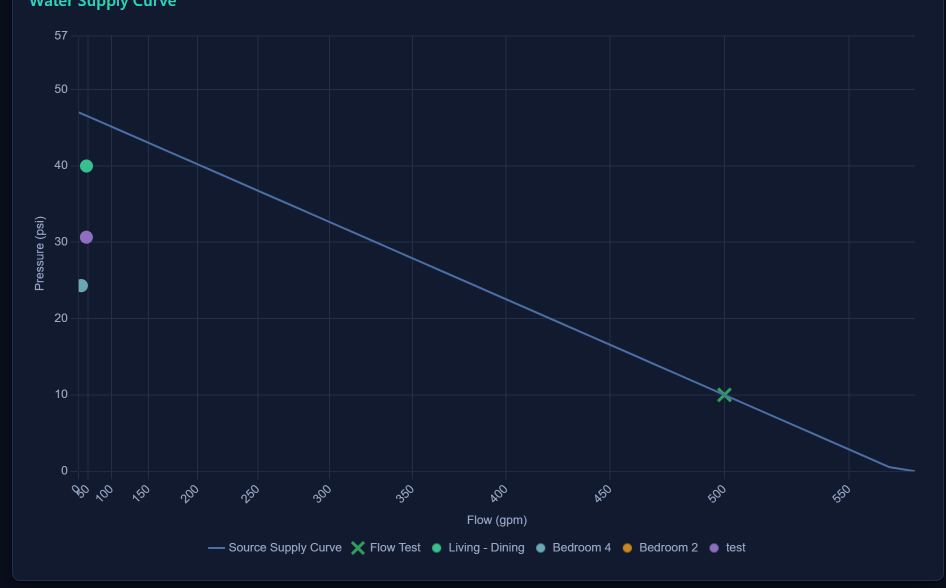
The classic N^1.85 graph: the supply curve from your flow test, with each area's demand point plotted against it. A demand point sitting below the curve is what Pass means — the vertical gap is your safety margin, visualized.
The same curve (rendered fresh, not a screen grab) goes into the exported PDF as its own page.