Running Calculations
Press Calculate (nav bar) or Ctrl+T — from the calc page or from Results (Re-run).
What happens
- Autosave (if enabled in Settings) writes the project first. A never-saved project asks you to pick a destination once.
- Validation runs in full. Any problem stops here — "There are errors in the input data" — and the error bar walks you through them (chapter 6).
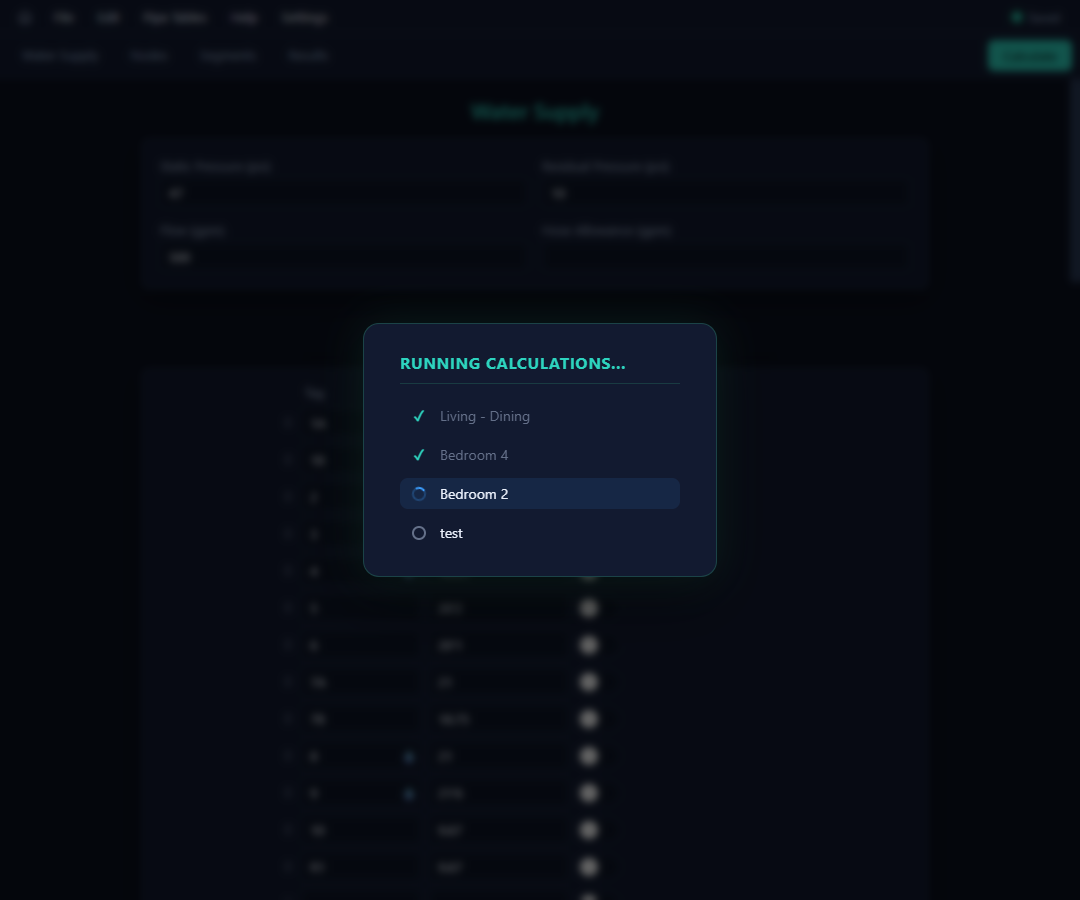
- The solver runs on Caident's servers, one calculation area at a time, behind a progress overlay that ticks each area off as it completes:
- On success you land on Results (chapter 8).
A calculation needs a network connection and your signed-in session. Running a calc does not mark the project saved — save is always your explicit action (or autosave's).
When the solver says no
Failures are reported per area, in plain terms:
| Message | What it means |
|---|---|
| "The solver could not find a valid solution for calculation area X." | The network as described can't converge — review pipe sizes, water supply, and demands. |
| "Calculation area X requires an invalid pump pressure to keep node pressures non-negative." | The pump settings force impossible pressures — review the pump and the system around it. |
| "The server was unable to calculate area X due to an unexpected error." | Something server-side went wrong; review inputs or contact support if it persists. |
| "The calculation failed due to a server error … Error code: SRV-XXXXXX" | A results-processing fault — the code helps support find it fast. |
License and session problems (expired, signed out elsewhere) bounce to the sign-in screen with an explanation; transient network trouble reports as a server-connection issue — try again.
Results going stale
Results remember exactly which inputs produced them. Edit anything afterwards and a banner appears at the top of Results:
⚠️ Results are out of sync with the input data — re-run the calculation to update.
Clicking the banner re-runs the calculation. Until then, the tables keep showing the last completed run.