AHJ Research
Tools → AHJ research… (or the AHJ Research button on the Home screen) opens an AI research assistant that compiles, for a project address, what the authority having jurisdiction and the water purveyor will require — adopted codes, sprinkler requirements, water-supply rules — with sources linked and a professional-review workflow built in.
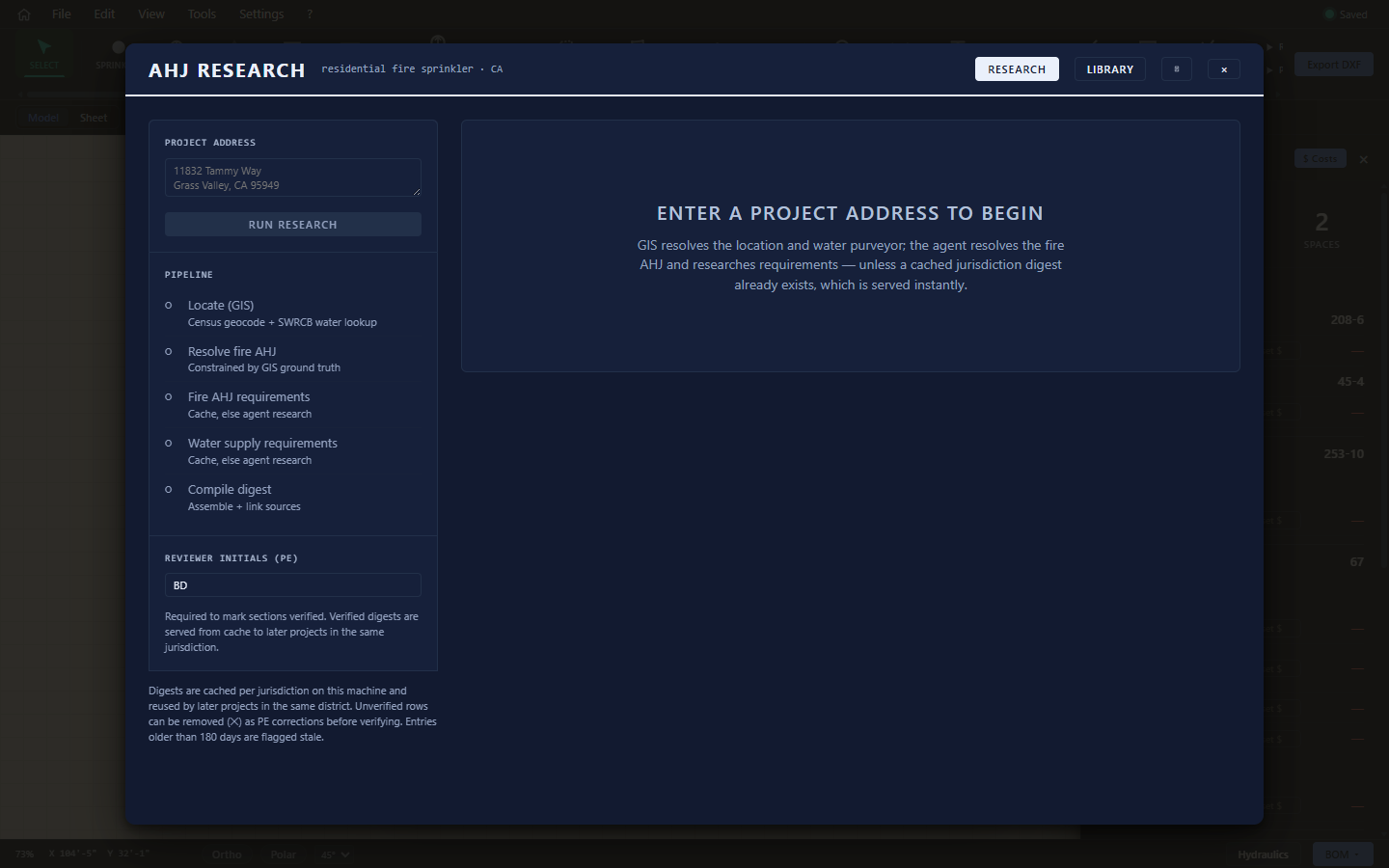
Running a research pass
- Enter the project address in the left rail.
- Click Run research. The assistant looks up the project's jurisdiction and water purveyor, then compiles a digest with linked sources — this can take a bit on a first-time address, and is instant if that jurisdiction was already researched.
- Read the digest on the right: numbered sections — 01 Adopted codes, 02 Fire sprinkler requirements, water-supply details, and 04 Confirm by phone (the calls worth making before you rely on anything).
Steps show FROM CACHE badges when a jurisdiction's digest already exists on this machine — instant, and consistent across projects in the same city.
Professional review
This feature is a research accelerator, not an authority:
- Every unconfirmed row carries an UNVERIFIED badge.
- Enter your Reviewer initials (PE) to mark sections verified as you confirm them.
- Remove rows that are wrong for your project (✕) — removals are treated as professional corrections.
- Digests older than the staleness window are flagged — codes change; re-run.
Treat the digest as a head start on phone calls and code lookups — never as a substitute for confirming requirements with the AHJ and purveyor. Section 04 exists for a reason.
Library and history
- Library — every cached jurisdiction digest, reusable across projects.
- Research history (the receipt icon) — previously researched addresses; reload or delete each.