Bill of Materials & Costs
The BOM drawer
Toggle BOM in the status strip (or View → Bill of materials). The drawer slides in from the right and stays live — every edit to the model updates the takeoff.
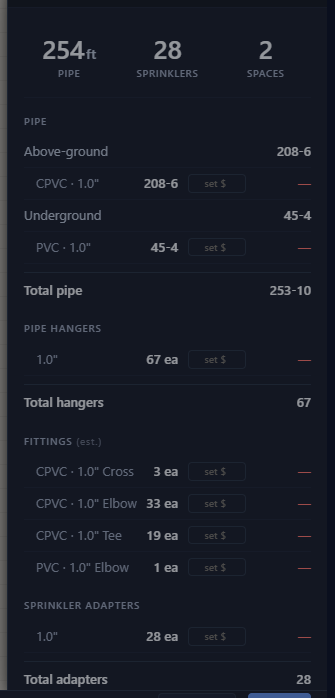
- Hero stats — total pipe footage, sprinkler count, space count.
- Sections — pipe by material and diameter (linear feet), fittings (elbows / tees / crosses, counted from the routed geometry), hangers, sprinkler adapters, sprinkler heads by type (with part numbers), risers by type, equipment (meter, backflow, source), and vertical pipes.
Pricing the job
Flip the $ Costs toggle in the drawer header. Each row gains a unit price field and an extended cost; the footer totals the estimate.
Prices come from two places:
- The global price book — View → Material costs…. Set your standing prices once: $/ft of pipe per material and diameter, $/fitting, hangers, adapters, heads by type, risers, equipment. Import Excel… / Export Excel… move the whole book through a spreadsheet; Reset all clears it.
- Per-project overrides — type a price directly into a BOM row. That override is saved in the project file and beats the global book for this project only.
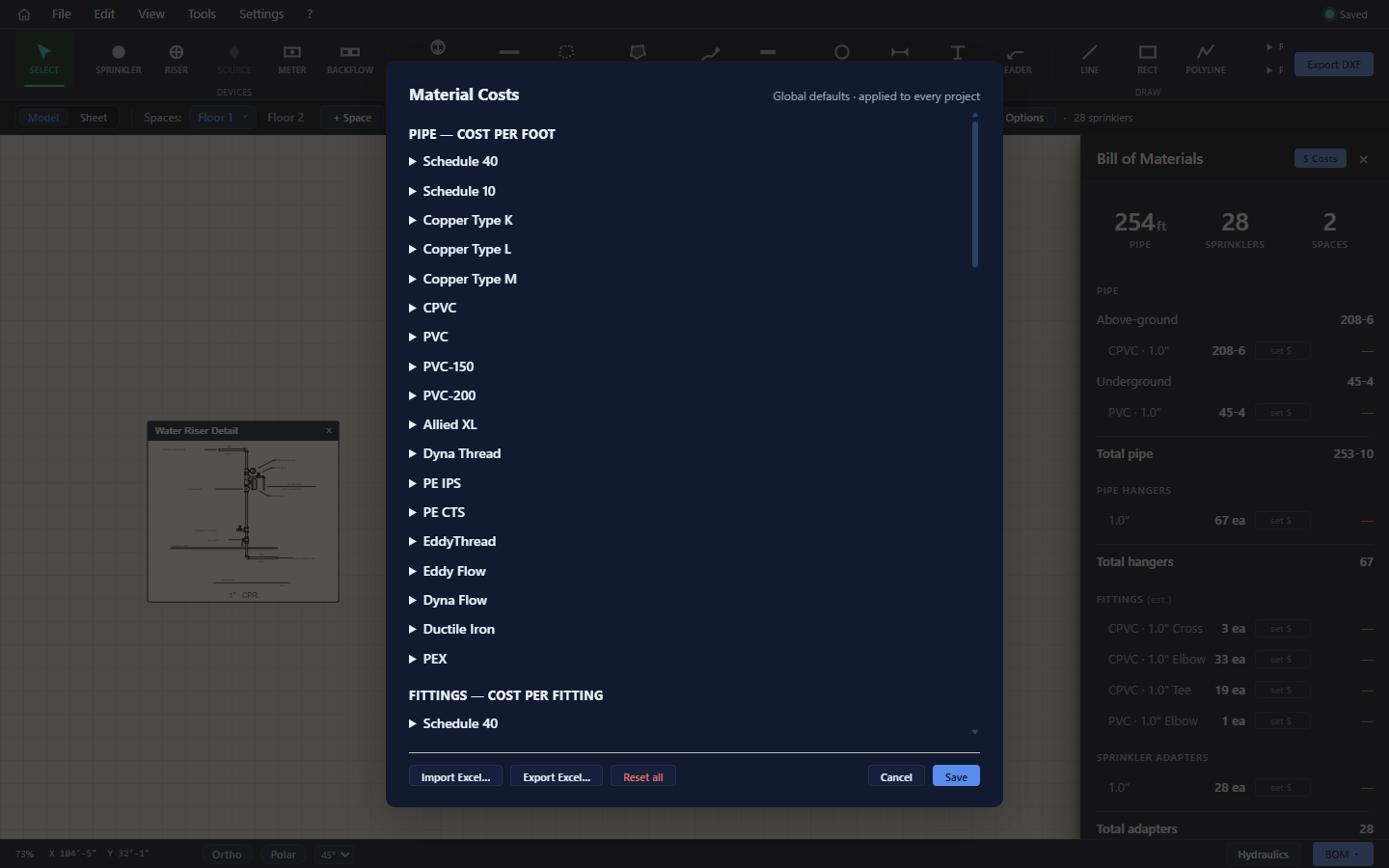
Unpriced rows show "—" and the drawer notes that some items are unpriced.
Exporting the BOM
Save Bill of Materials (bottom of the drawer) writes a dated, letter-portrait PDF — ITEM / QTY / UNIT / COST per section with the estimated total — named after your project (MyProject_bom.pdf). The export flow and status dialog are the same as every other export (chapter 13).