Sprinklers
Placing heads by hand
Arm the Sprinkler tool and click to place — click again for more, Esc to stop. The tool options row picks the type for new heads:
Pendent · Upright · Sidewall · Concealed · Recessed · Extended · Dry
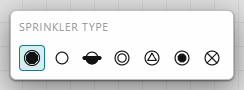
New sprinklers land on a dedicated "Sprinklers" layer automatically, so they're easy to isolate, hide, or restyle as a set.
Sprinkler properties
Select a head to edit it in the Inspector (or right-click it):
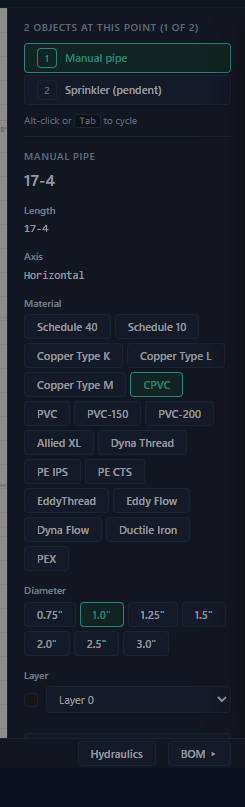
| Property | Scope | Notes |
|---|---|---|
| Type | per head | The seven types above; changing type re-derives the elevation rule. |
| K-factor | per type | The discharge coefficient (Q = K·√P) used in hydraulics. Set once per type — every head of that type follows. |
| Part # | per type | Manufacturer part number; appears in the BOM. |
| Elevation | per head | Auto-derived from the room's ceiling (sidewalls sit 6″ below). Type a value to override — the field gets a "manual" badge and a Reset to generated link. |
| Symbol size | project | S / M / L / XL or a numeric scale; affects the canvas and DXF export. |
Elevations flow from the model: Project Info's default ceiling height → the compartment's ceiling (flat or sloped) → the head's auto elevation → your manual override. Fix ceilings at the room level (chapter 5 / the compartment Inspector) rather than head by head.
Auto-placement
With rooms detected (or drawn), let the app lay out the floor: tool-dock ▶ Place Sprinklers, or Edit → Auto-place sprinklers….
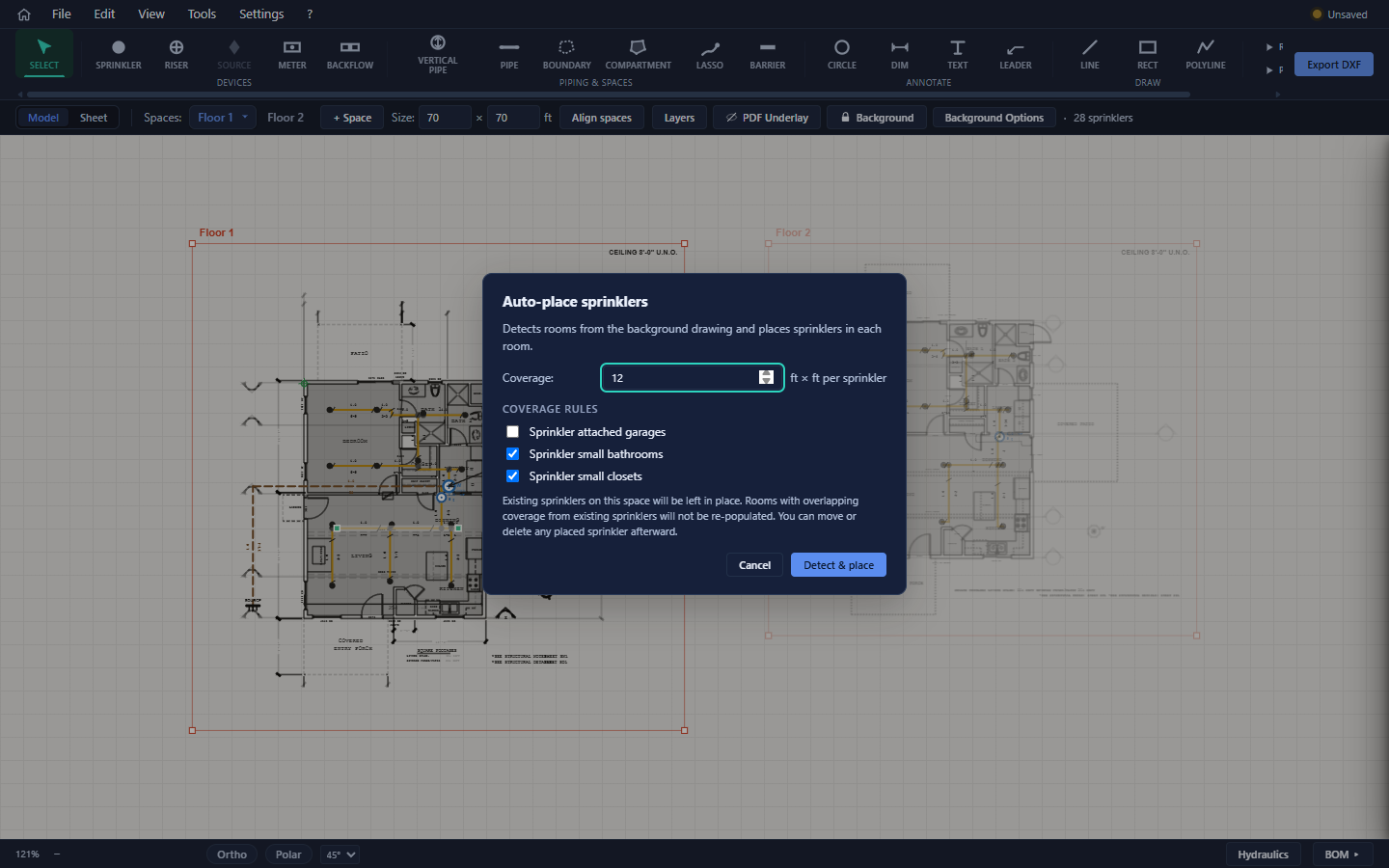
Coverage is the spacing in feet (6–20, default 12 — i.e. 12 × 12 ft per head). The coverage rules control rooms NFPA 13D lets you skip:
| Rule | Default | Basis |
|---|---|---|
| Sprinkler attached garages | off | Required in some jurisdictions, omitted in others — check your AHJ. |
| Sprinkler small bathrooms | off | NFPA 13D 8.3.2 allows omitting bathrooms ≤ 55 sq ft. |
| Sprinkler small closets | off | NFPA 13D 8.3.3 allows omitting closets ≤ 24 sq ft. |
Click Detect & place. The app places heads room by room on a grid rotated to each room's dominant wall angle, then runs a hard-coverage pass so no floor point is farther than half the spacing from a head. It reports the result — "23 placed across 11 rooms" — plus every skipped room with its reason.
What auto-place will not do:
- Touch existing heads. Rooms already covered aren't re-populated, and new heads keep their distance from existing ones.
- Run on other spaces — it works on the active space only.
- Pick head types per room — every placed head uses the currently active sprinkler type.
It's one undo step, and routing re-runs afterwards automatically.
The garage/bathroom/closet skip rules identify rooms by the text labels on the drawing. A garage whose plan text doesn't say "GARAGE" is treated as an ordinary room and gets fully sprinklered — review the skip report against the plan.
Auto-place first, then adjust: drag heads that landed awkwardly, delete extras, add corners the grid missed. Placed heads are ordinary sprinklers — nothing about them is locked.